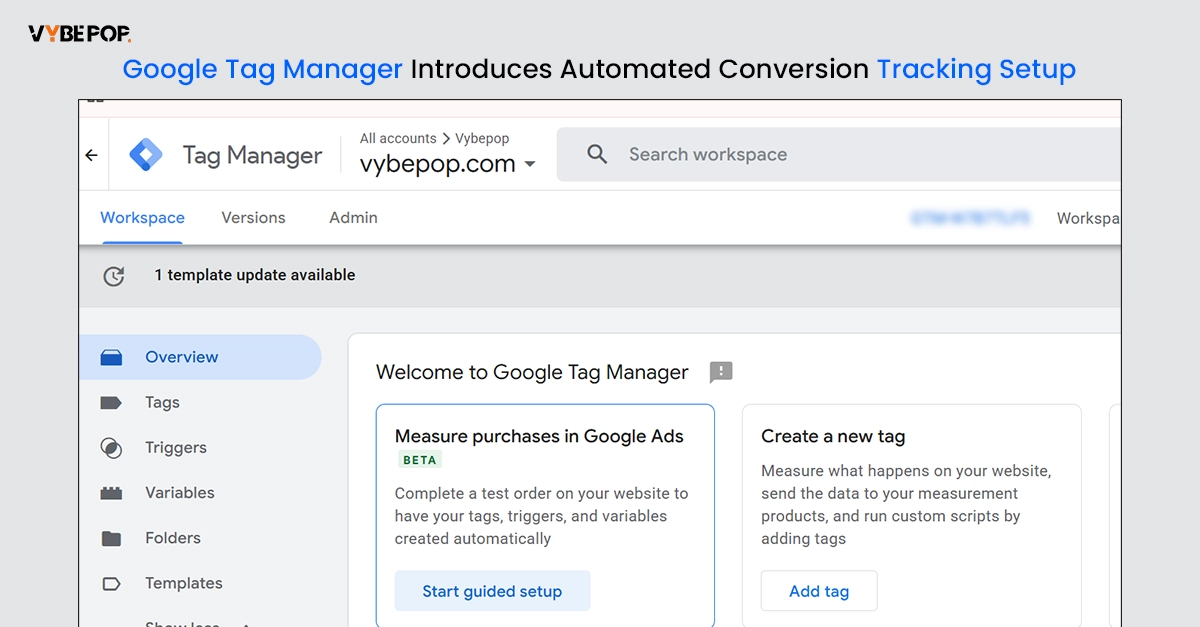
Google announced that a new Guided Setup feature has just been rolled out in Google Tag Manager (GTM). The new feature allows setting and tracking Google Ads purchase conversion with easier steps. The functionality is now in beta state, and it lets advertisers make fewer manual tracking settings.
With this update, the basic elements required for conversion tracking of purchase are generated automatically, thereby saving time on setting up and at the same increasing the probability of less configuration errors.
Guided Setup Automates Conversion Tracking Configuration
The new Guided Setup card appears inside Google Tag Manager when creating a Google Ads Purchase Conversion. Instead of manually configuring every element, the feature automatically generates the required:
This removes much of the technical work involved in setting up conversion tracking, especially for users who are new to Google Tag Manager.
Why This Update Matters
Purchase conversion tracking plays an important role in measuring campaign performance and improving Google Ads optimization. However, setting it up has traditionally required multiple manual configurations, which could lead to mistakes or incomplete tracking.
With Guided Setup, Google aims to simplify implementation and help advertisers start collecting conversion data more quickly. Accurate conversion data is also essential for automated bidding strategies, which rely on reliable measurement to improve campaign performance.
In case you are still wondering, the feature is currently in beta mode, which means that most users will not be able to access it right away. Google has chosen to keep the details of the feature rollout limited to a few. They haven't announced when exactly they plan to open it up to the whole Google community.
To stay updated, get in touch with Vybepop Media.